UK Self-Employed Tax Tracker: no more January surprises
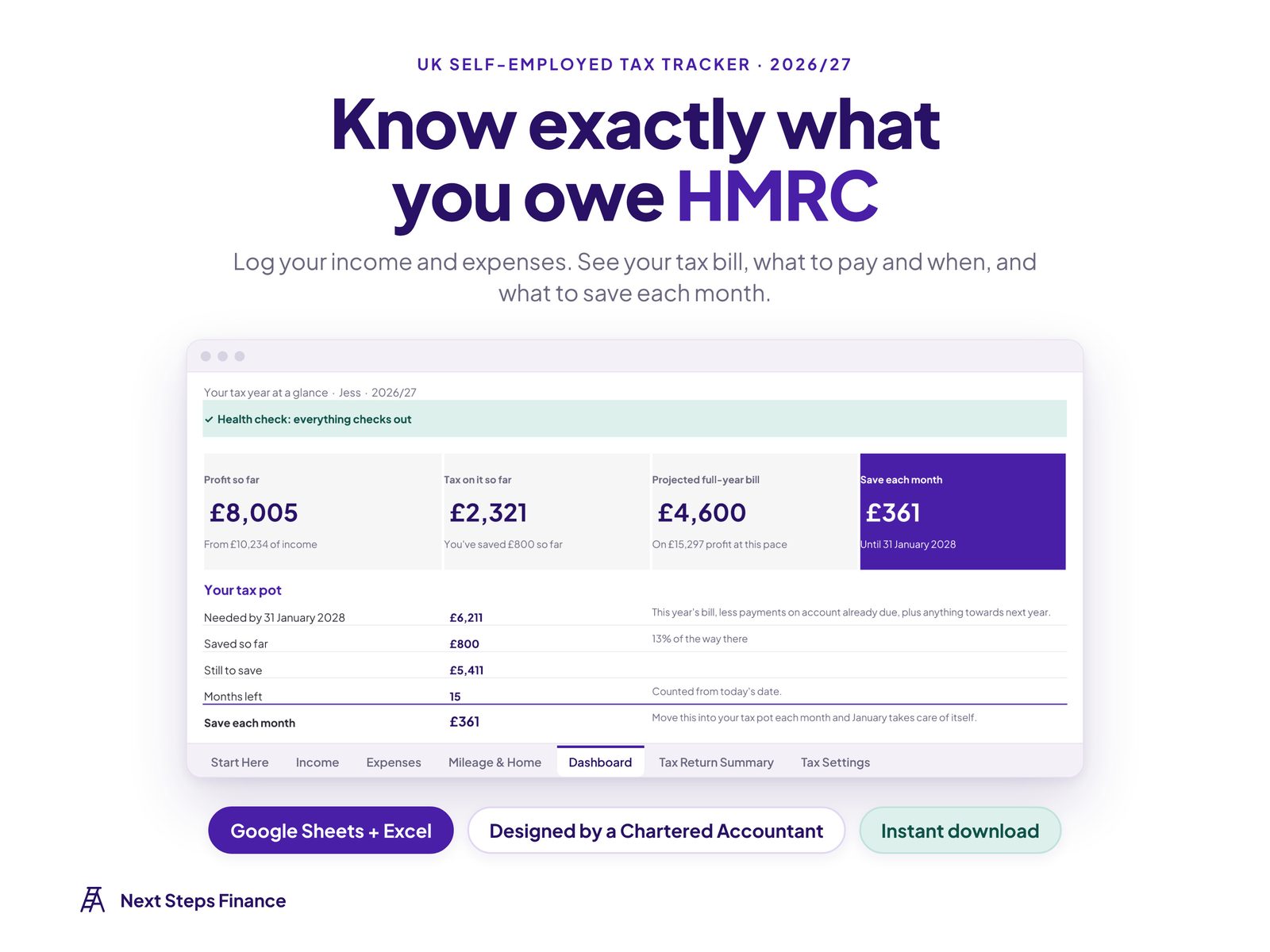
Turn your income, expenses and mileage into a live tax estimate. It tells you exactly how much to set aside each month and shows every HMRC payment date and amount.
- Income tax, Class 4 NI and student loan, including Scottish rates
- Side hustle alongside a job? It works out only the extra tax
- Picks expenses or the £1,000 trading allowance, whichever saves more
- Designed by a Chartered Accountant
Dashboard
What to save each month, worked out for you
Your profit so far, tax so far, the projected bill for the year and a tax pot that shows how much to put aside each month until the 31 January deadline.
Payment dates
Payments on account, explained and included
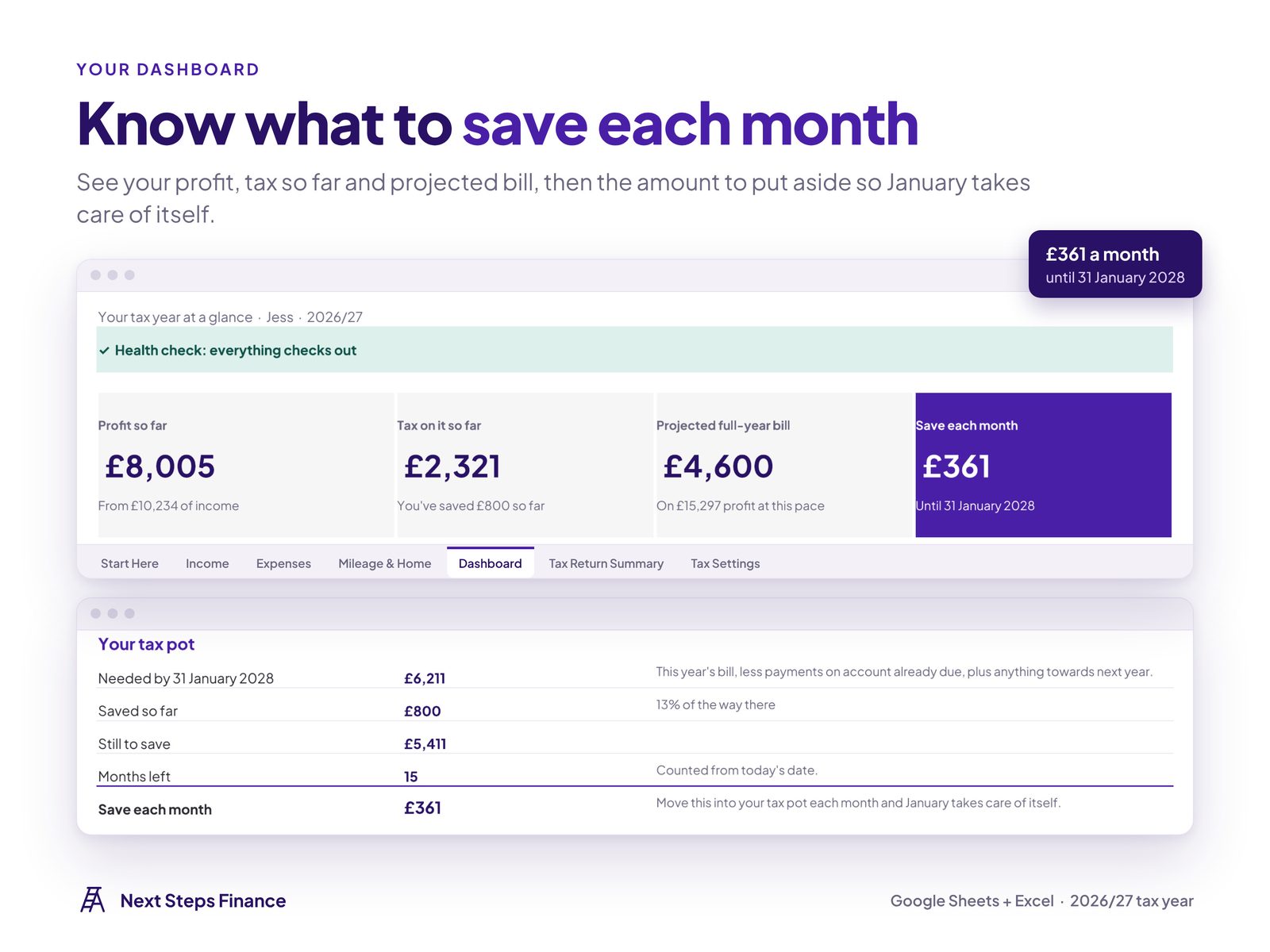
Every HMRC payment date and amount, including the balancing payment and payments on account, so your first January bill isn't a shock.
Tax estimate
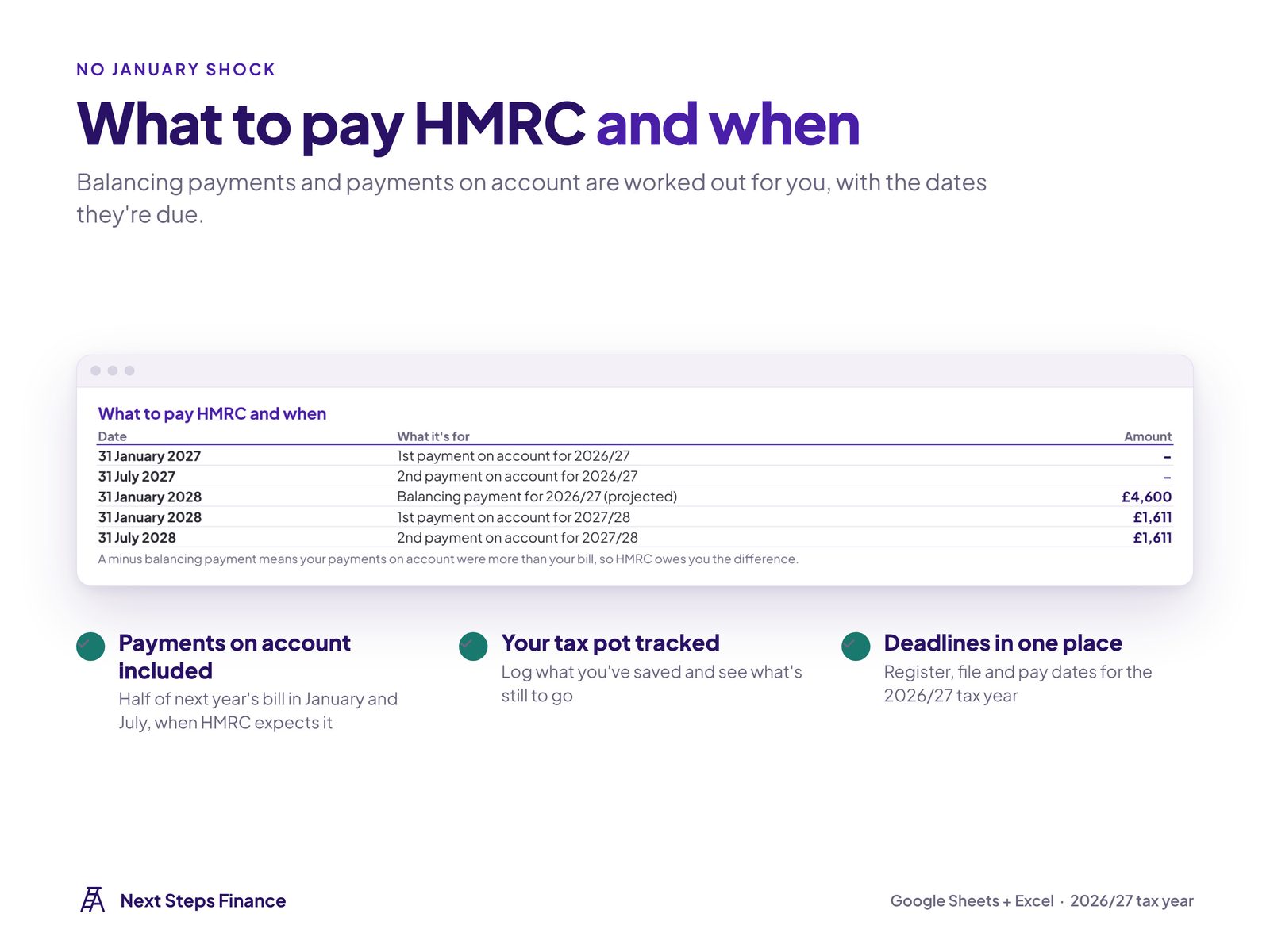
Your full tax bill, so far and for the year
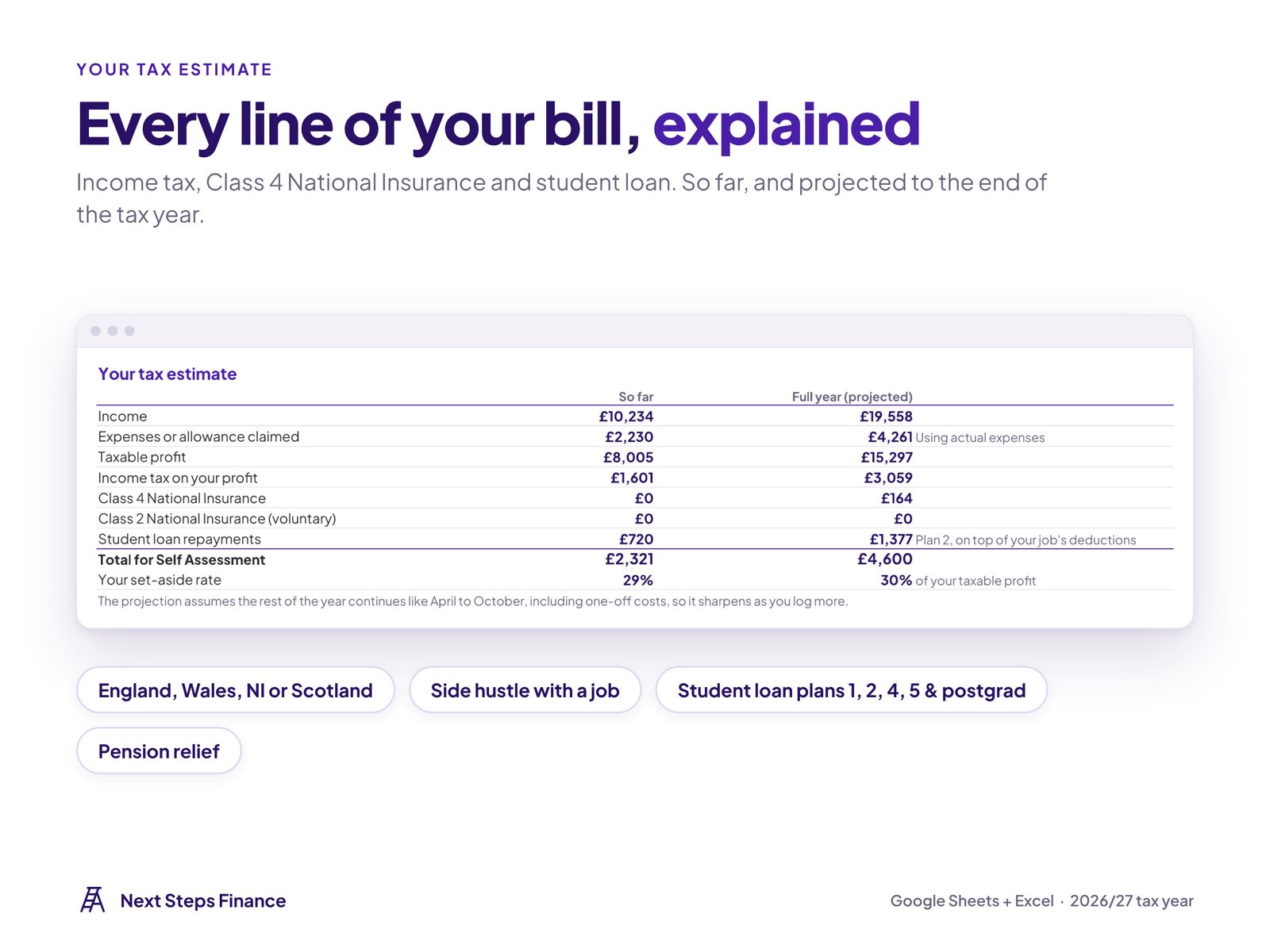
Income tax (including Scottish bands), Class 4 and voluntary Class 2 National Insurance, and student loan repayments, with a full-year projection based on your income so far.
Income & expenses
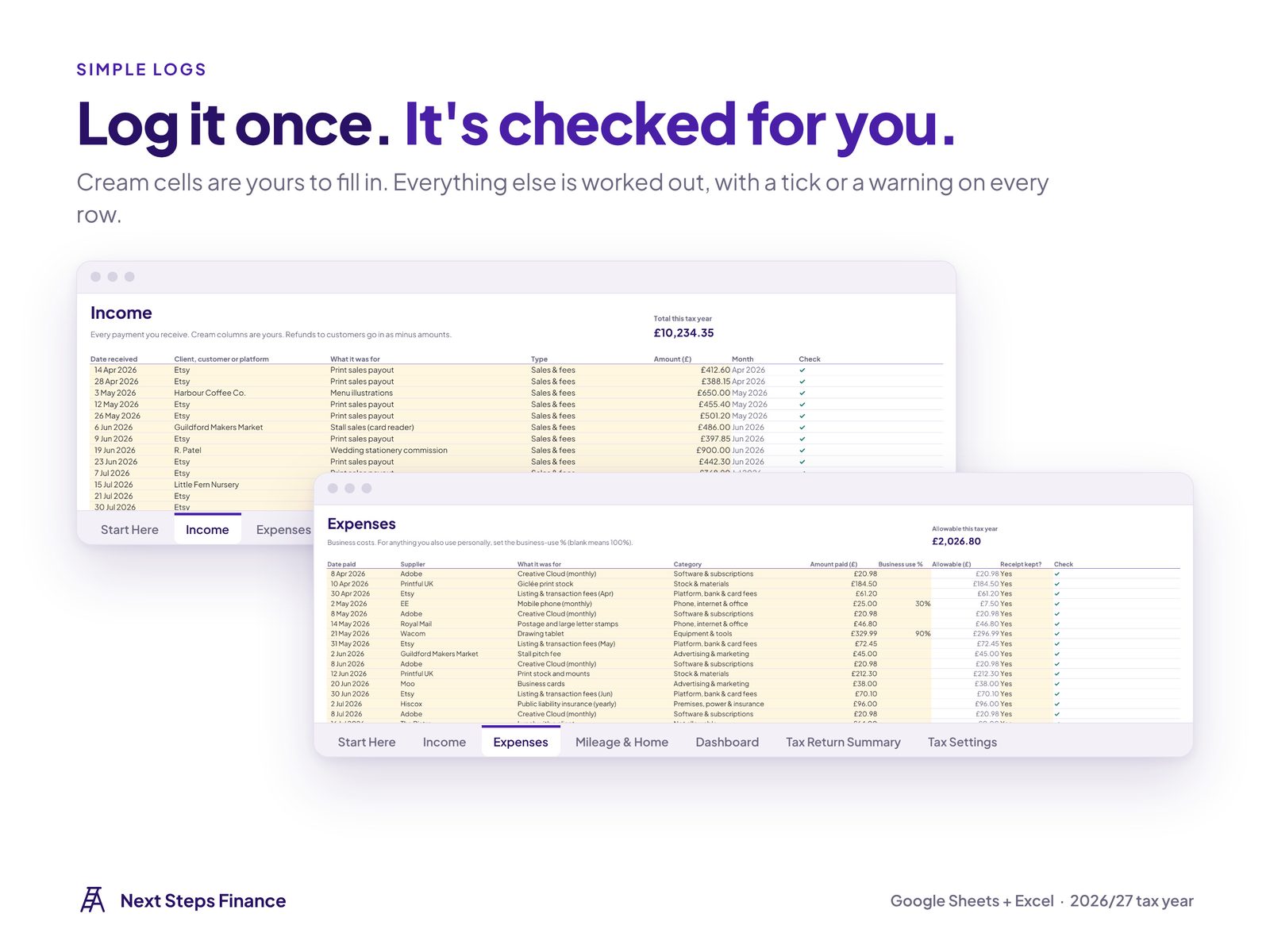
Log it once, categorised the HMRC way
15 HMRC-matched expense categories, a business-use % for things you also use personally, refunds handled, and a check on every row that flags mistakes in plain words.
Mileage & home
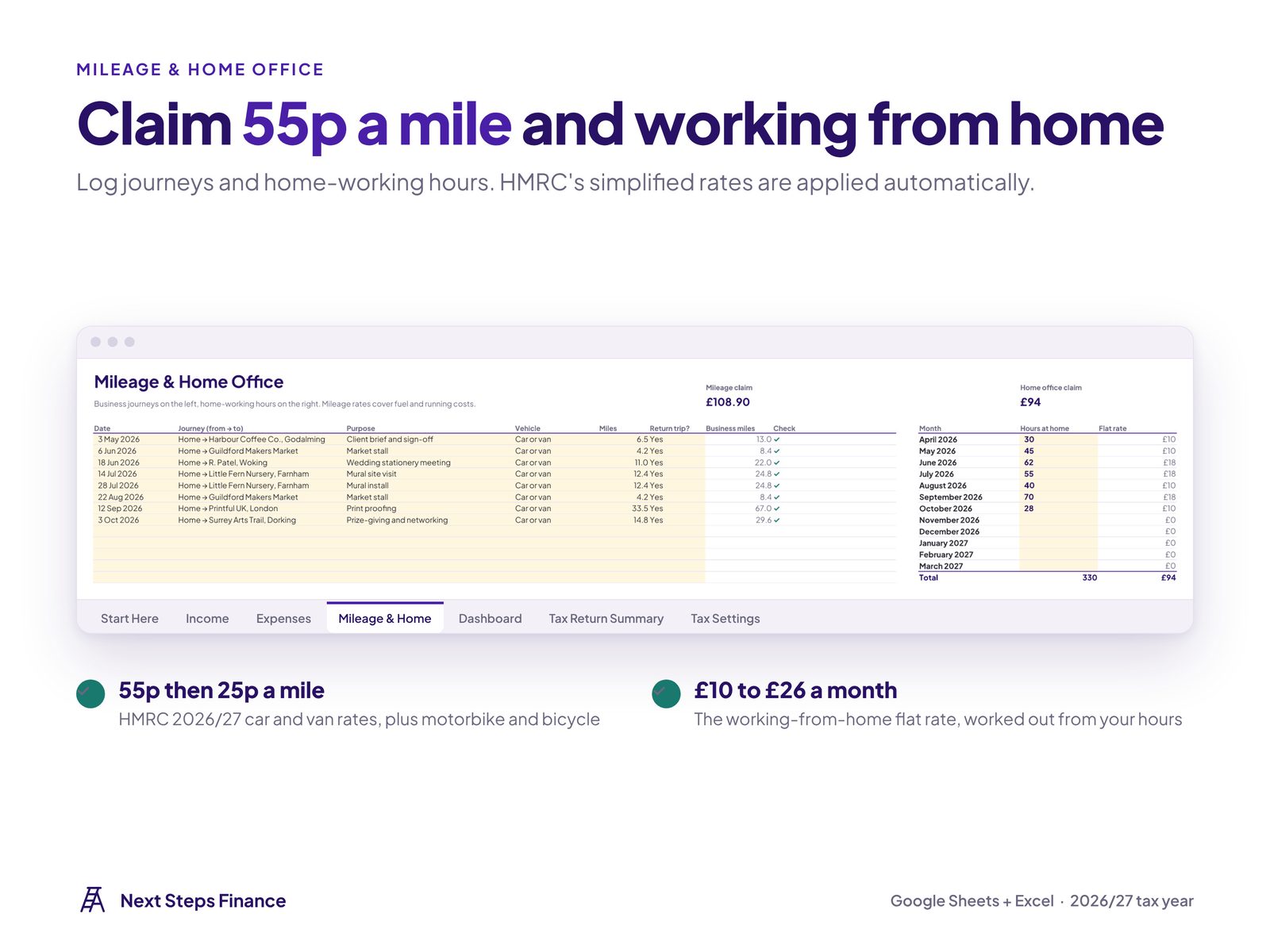
Mileage and working from home at HMRC rates
Log journeys at 55p a mile and your monthly working-from-home hours at the flat rate. The tracker does the maths and adds them to your expenses.
Tax return
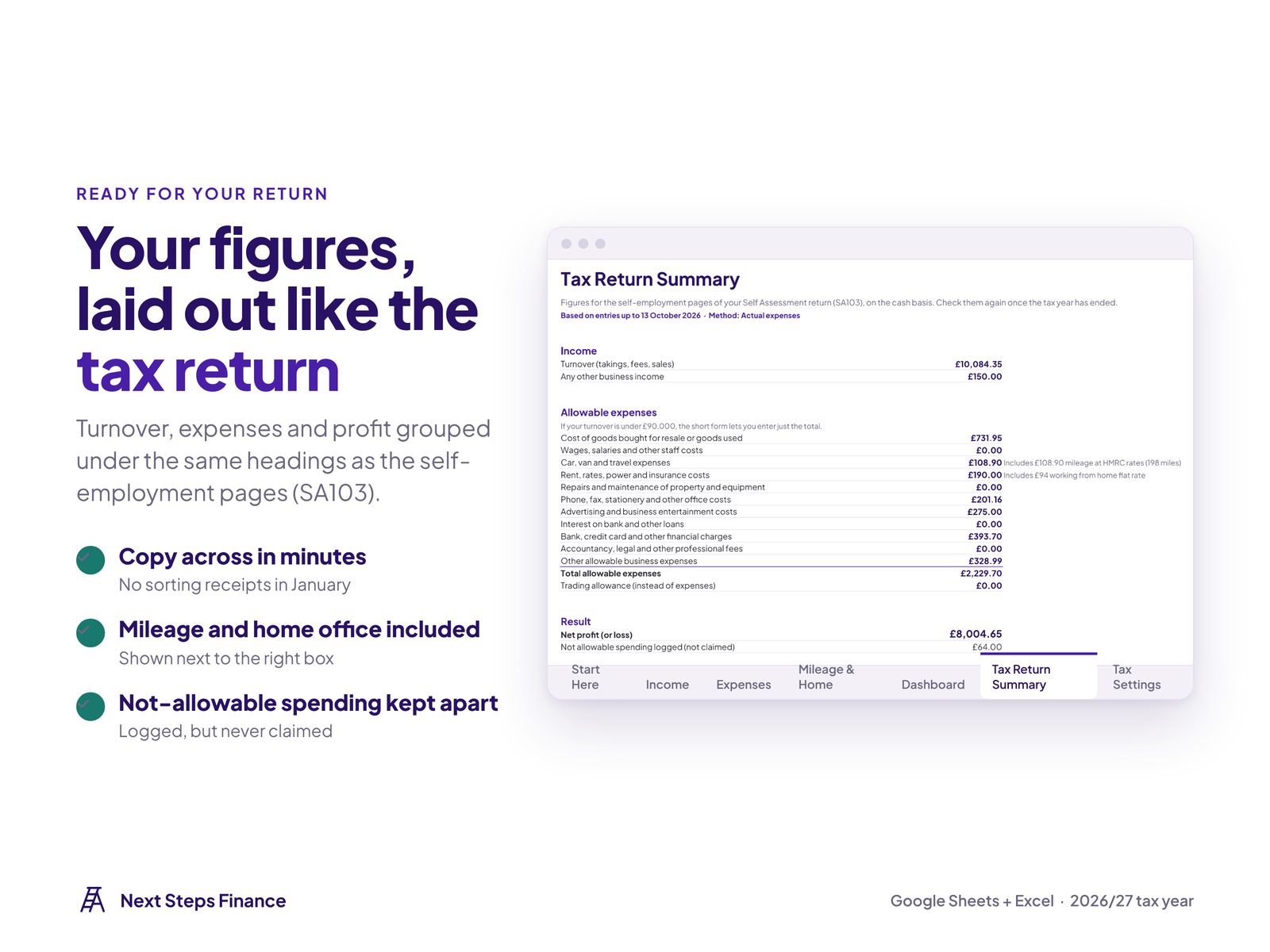
Your figures, ready for Self Assessment
Turnover, allowable expenses and profit laid out under the headings on the self-employment pages of your tax return, so filing takes minutes.
What's inside
7 connected tabs. Log as you go and the Dashboard keeps itself up to date.
Start Here
Set upYour details, a 3-step guide and 15 real-life situations
Income
LogEvery payment you receive, with refunds handled
Expenses
Log15 HMRC categories and business-use %
Mileage & Home
LogHMRC mileage rates and the working-from-home flat rate
Dashboard
SeeWhat to save, payment dates, tax estimate and a chart
Tax Return Summary
SeeYour figures under the SA103 headings
Tax Settings
Tools2026/27 UK rates, easy to update each April
Built for real life
Handles the situations you'll actually face
Plain-English guidance for 15 situations, built into the Start Here tab, plus automatic alerts on the Dashboard. Here are some of them.
- A side hustle alongside a job
- Earning under £1,000 a year
- Selling on Etsy, eBay, Vinted or Depop
- Things used for work and personal life
- Driving for work
- Working from home
- Buying equipment
- Your first year in Self Assessment
- Already paying payments on account
- Making Tax Digital
- Living in Scotland
- Higher earners
- Starting a new tax year
Covers sole traders on the cash basis. Not for limited companies, partnerships or rental income. It is not Making Tax Digital software and does not send anything to HMRC.
How it works
Make your copy
After payment, click "Make a copy" to save the tracker to your Google Drive.
Add your details
Fill in Start Here, including your salary if you also have a job.
Log as you go
Add income, expenses and journeys, then check what to save each month.
UK Self-Employed Tax Tracker
£19.99
One-off payment. No subscription.
- The full UK Self-Employed Tax Tracker for Google Sheets
- 7 connected tabs, with a filled-in example version and a blank version
- Instant access straight after payment
- Free updates for every new tax year
- Email help if you get stuck setting up
Secure checkout by Stripe · Google Sheets
Want a Chartered Accountant to look over it with you?
Book a one-to-one review call and we'll go through your figures together and agree your next steps.
Book a review callFrequently asked questions
How do I get the tracker after I pay?
You're taken straight to a download page with your "Make a copy" links. One click saves the tracker to your own Google Drive. Stripe also emails your receipt.
I have a job as well. Does it work for me?
Yes. Enter your salary and it works out only the extra tax your side income adds, using your remaining allowances and bands.
Is it Making Tax Digital software?
No. It doesn't connect to or send anything to HMRC. It warns you if your income is heading over the Making Tax Digital thresholds.
Does it work in Excel?
The download here is the Google Sheets version, which is free with any Google account. If you'd rather use Excel, get in touch after buying and I'll send you the Excel files too.
Do I need to connect my bank?
No. There is no app, no subscription and no bank login. Your copy lives in your own Google Drive and only you can see it.
Will I get updates when tax rates change?
Yes. Bookmark your download page: it always links to the latest version, updated for each new tax year at no extra cost.
Can I share it with friends?
Please don't share or resell the tracker or its links. It is licensed for your own personal use.
Is this tax advice?
No. The tracker is a planning tool, not regulated tax advice. Figures are estimates based on what you enter.
Ready to stop dreading January?
Get the UK Self-Employed Tax Tracker today and know exactly what to put aside, every month.
Get the tracker · £19.99